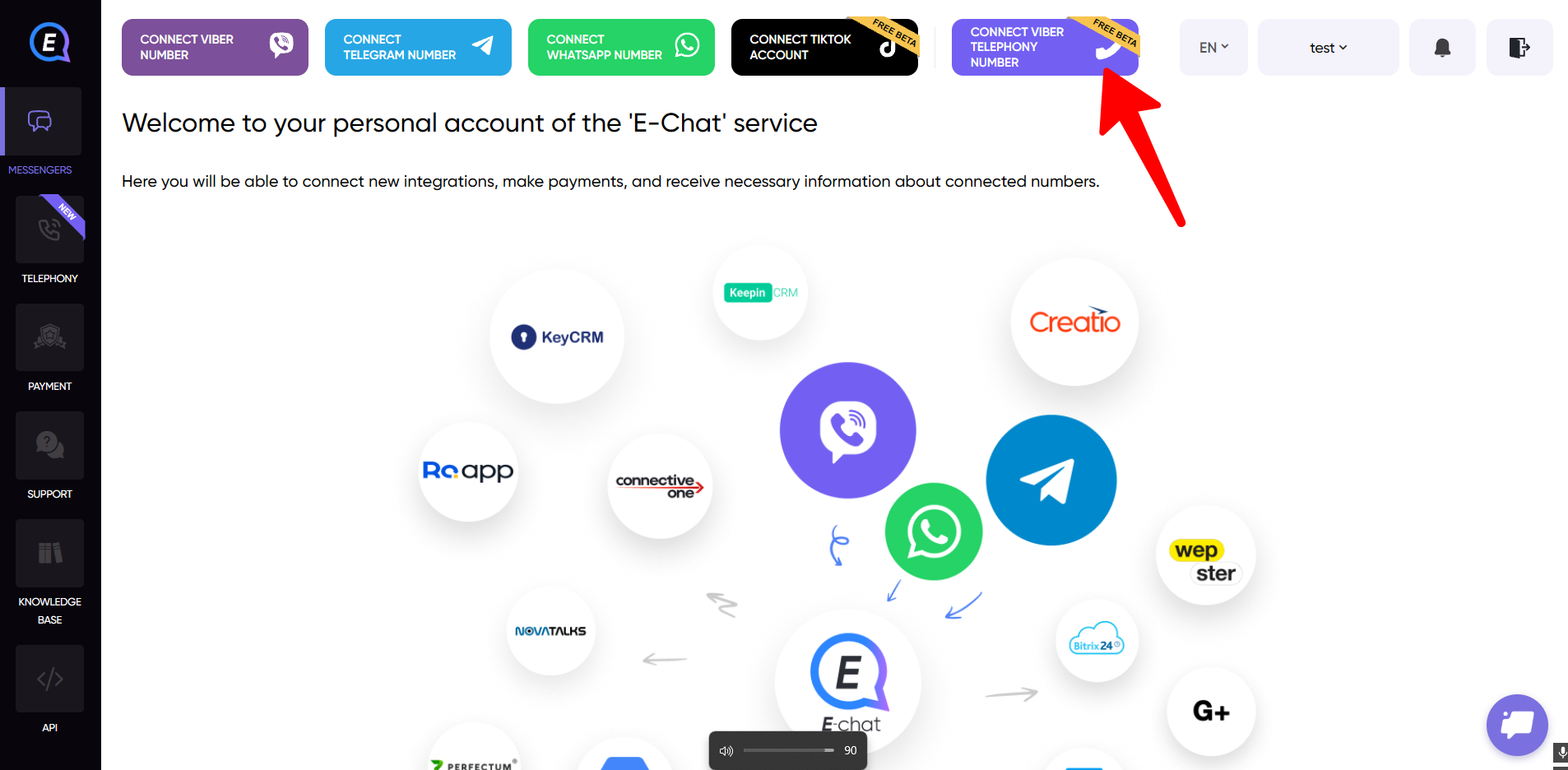
1) Log in to your E-chat dashboard and click the button to connect a Viber number (Telephony).
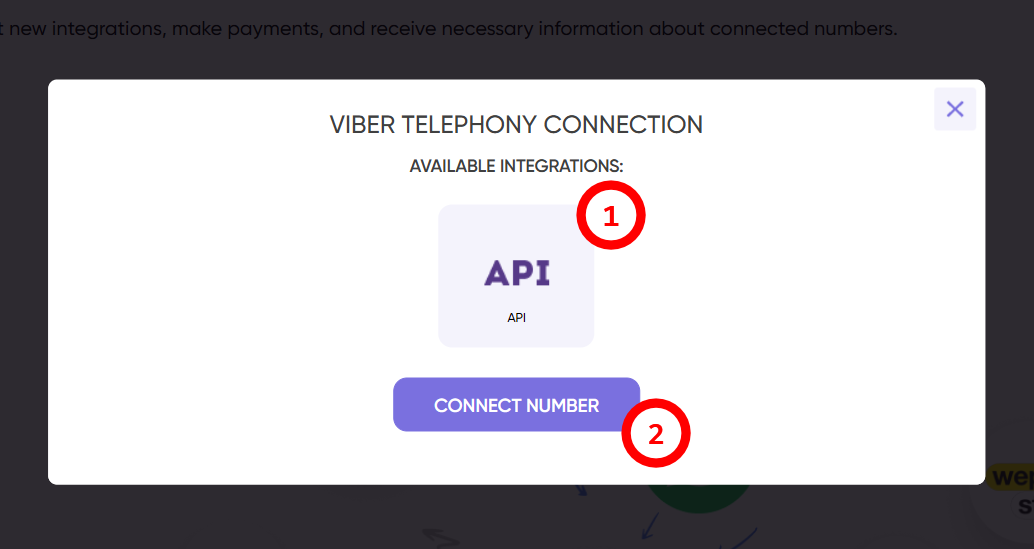
2) Select the integration you need.
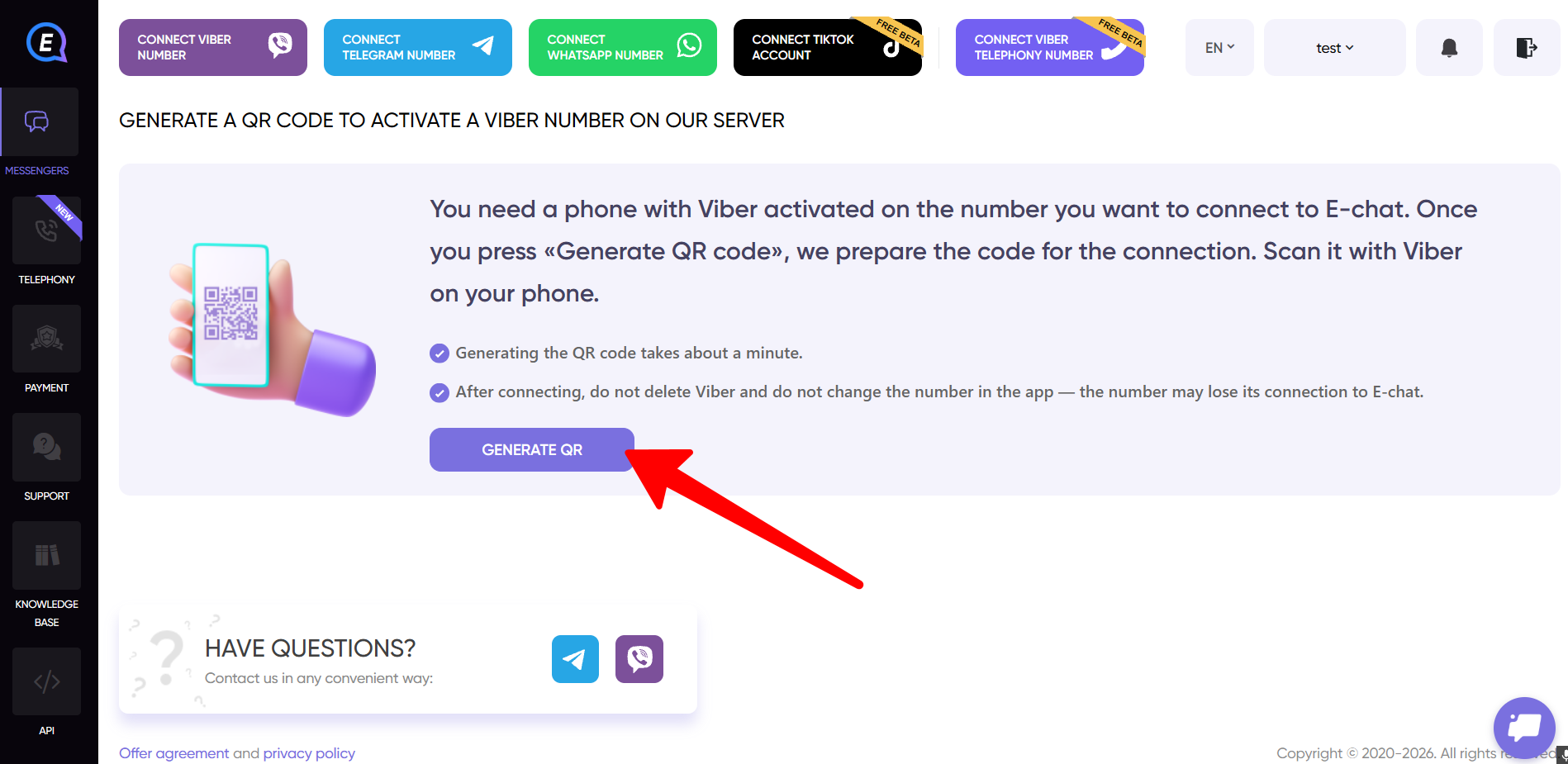
3) Generate a QR code.
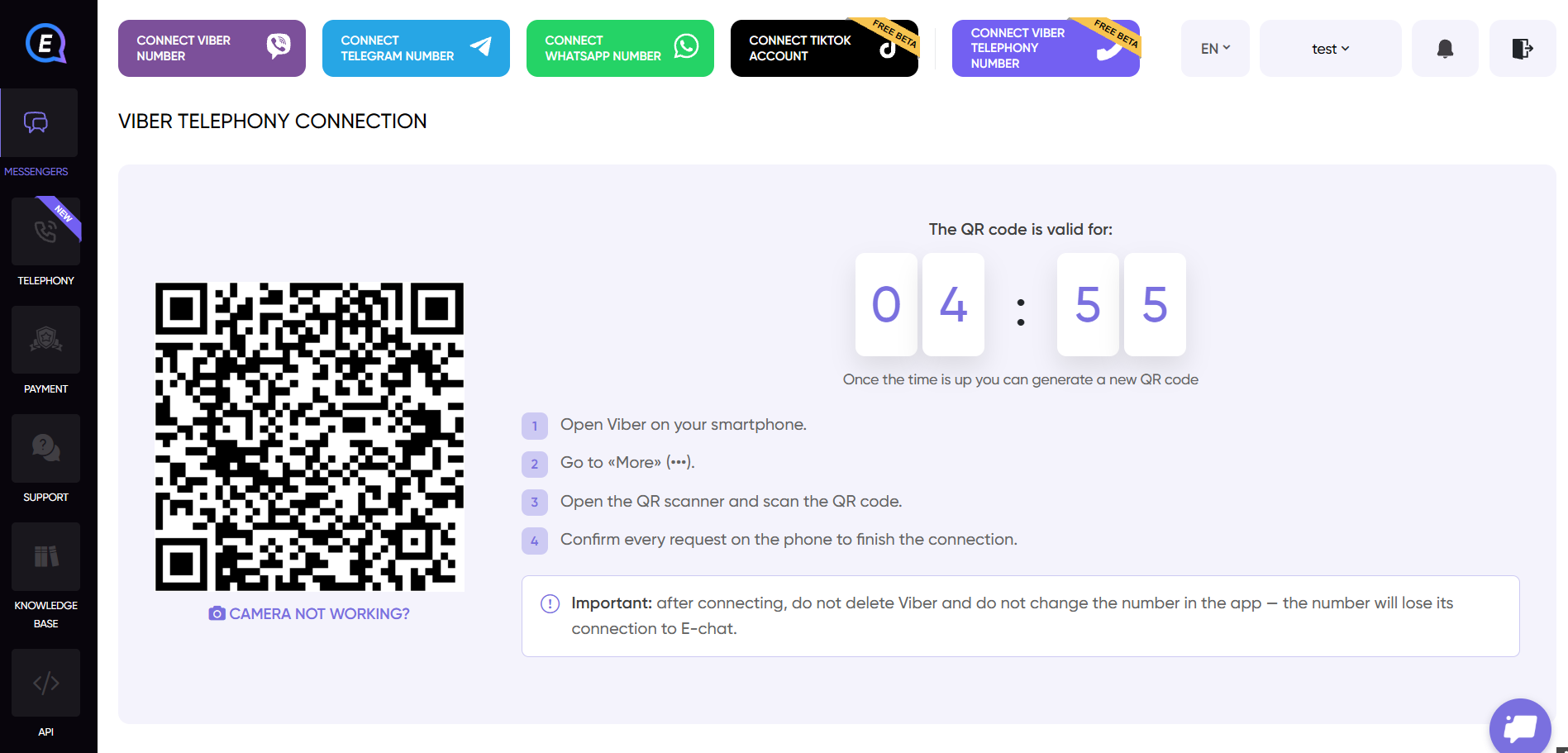
4) A QR code will be generated within a few minutes. Scan it using the Viber mobile app.
To open the scanner, go to the app's settings > "Account" > "Desktop and tablets". The scanner is in the top right corner.
5) After a successful scan, a menu will open with your connection details, including your username and password.
Use these details to log in to your telephony app.
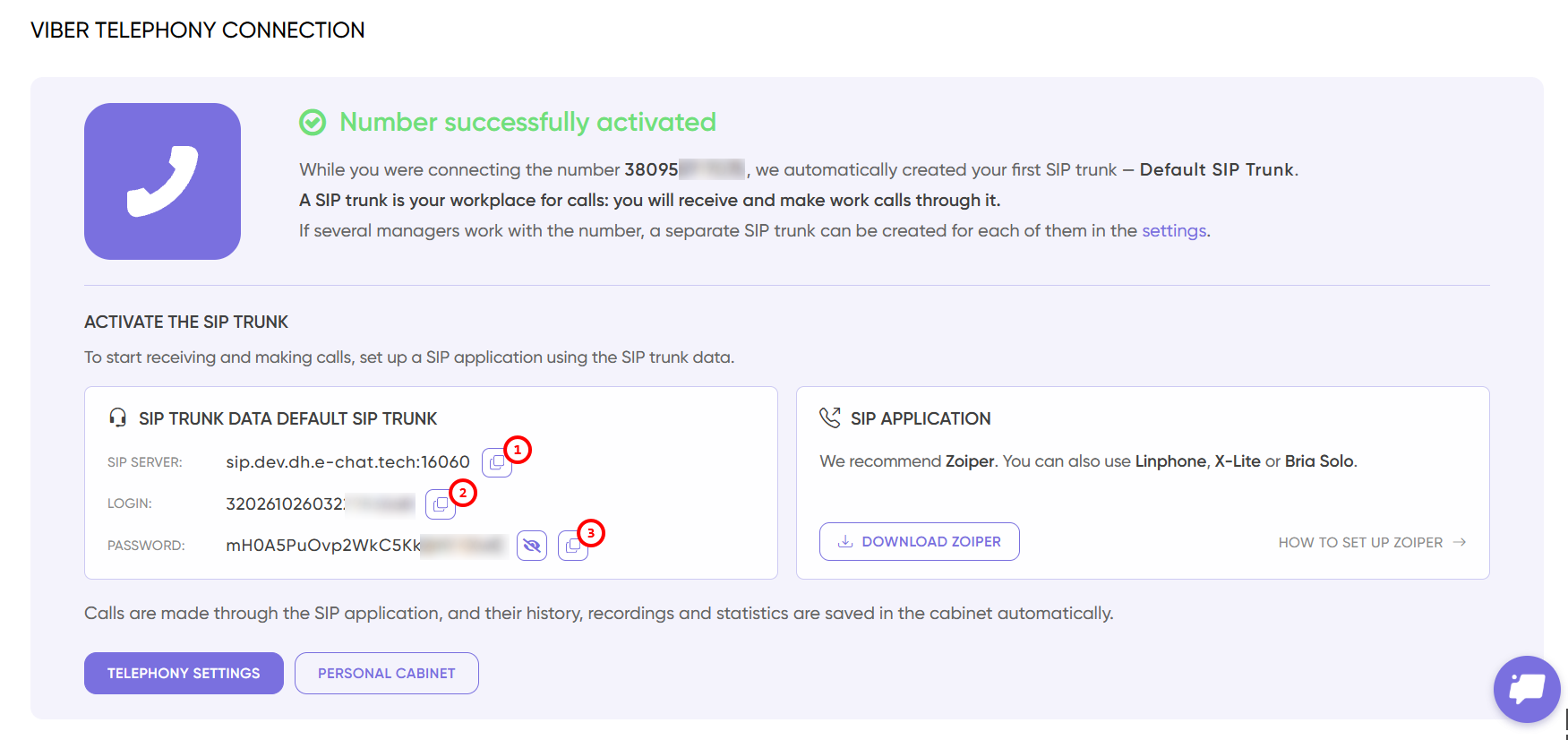
We recommend using Zoiper.
