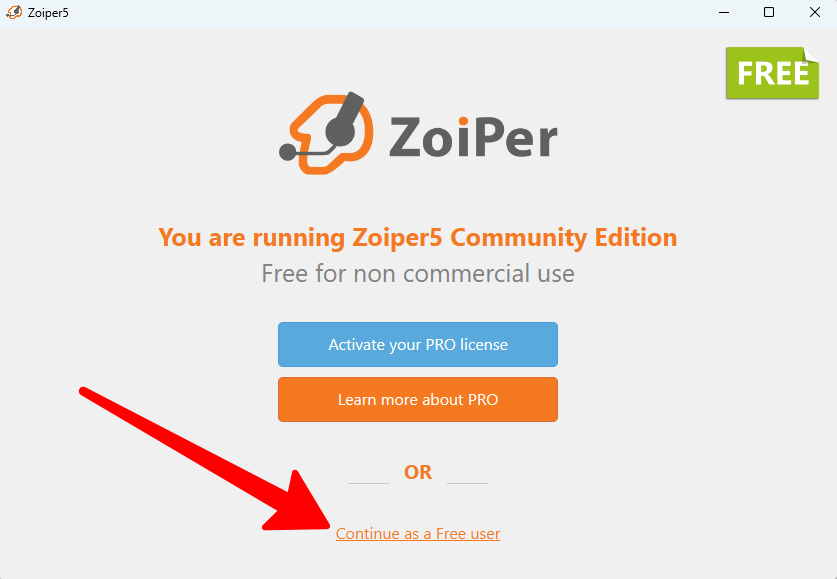
1) Open the app and select the free usage option:
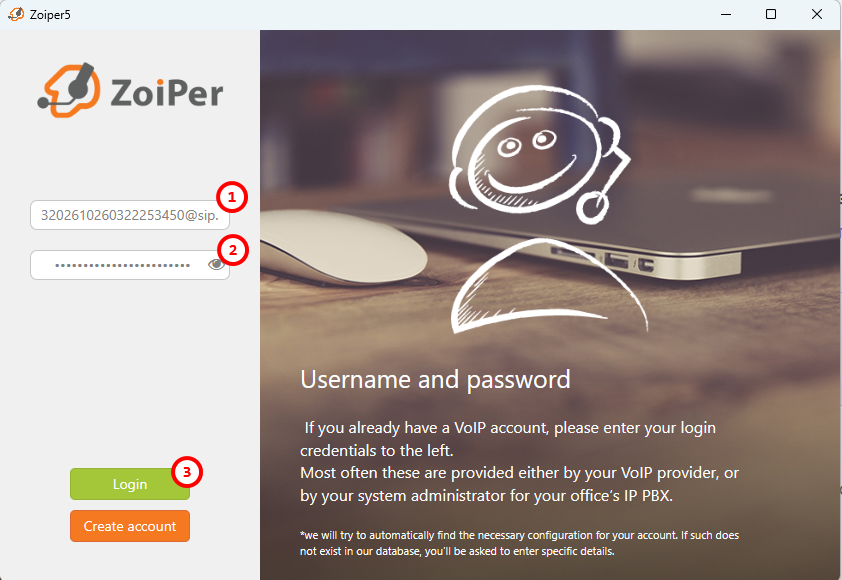
2) The username and password fields will appear.
In the username field, enter the login assigned to your account by our service, followed by @ and the SIP server address.
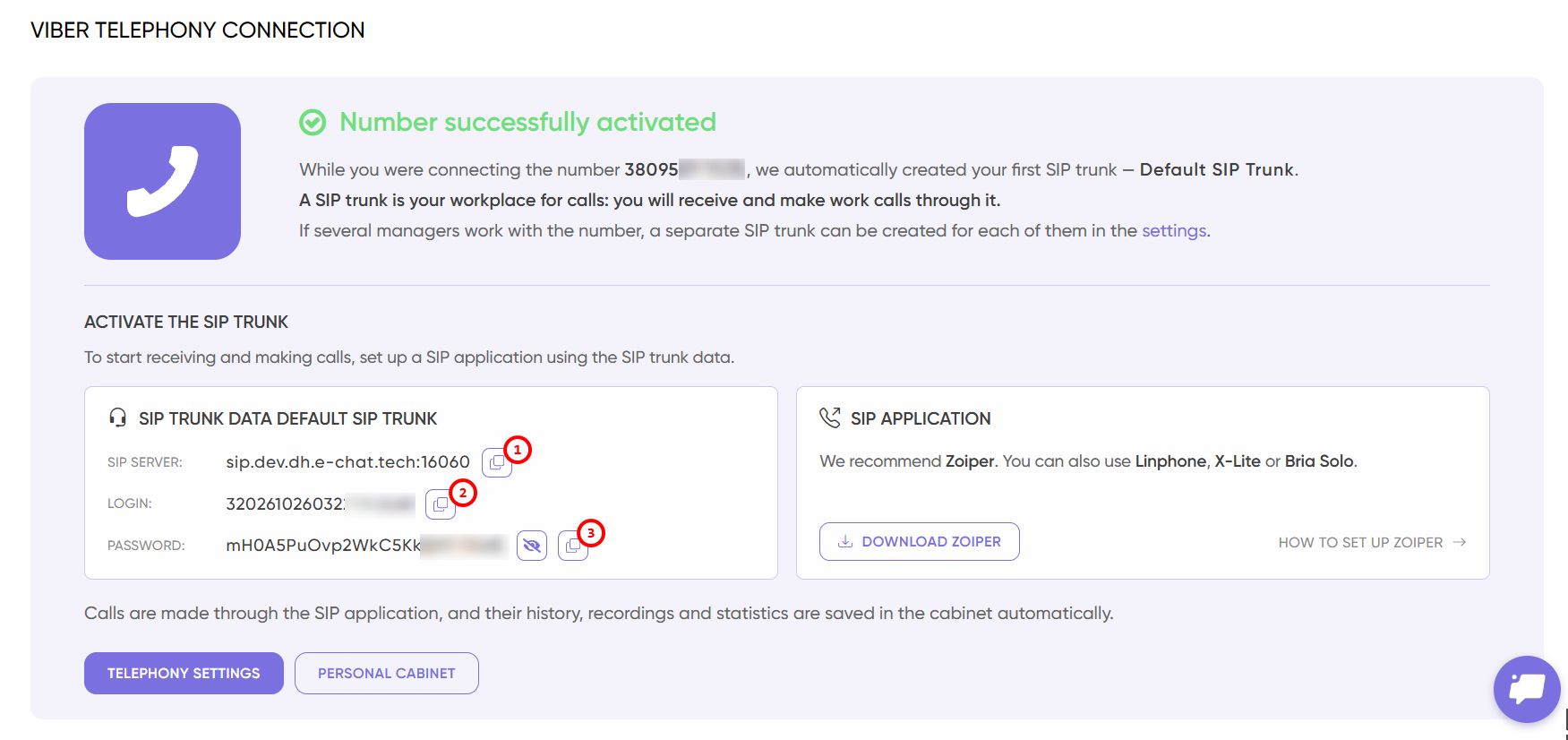
The complete username should look like this:
[email protected]:16060
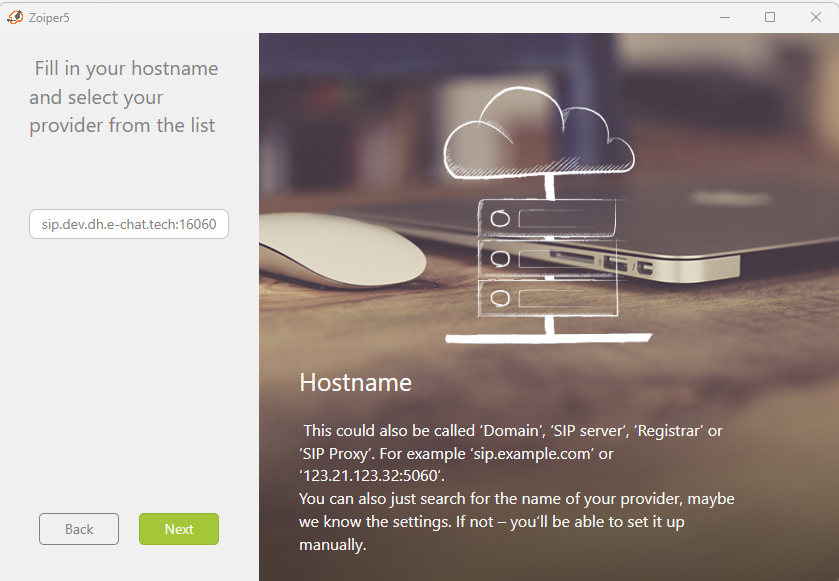
3) Next, enter the address of the SIP server assigned to your account:
4) After entering all the required details, you will see a successful connection: "SIP TCP".
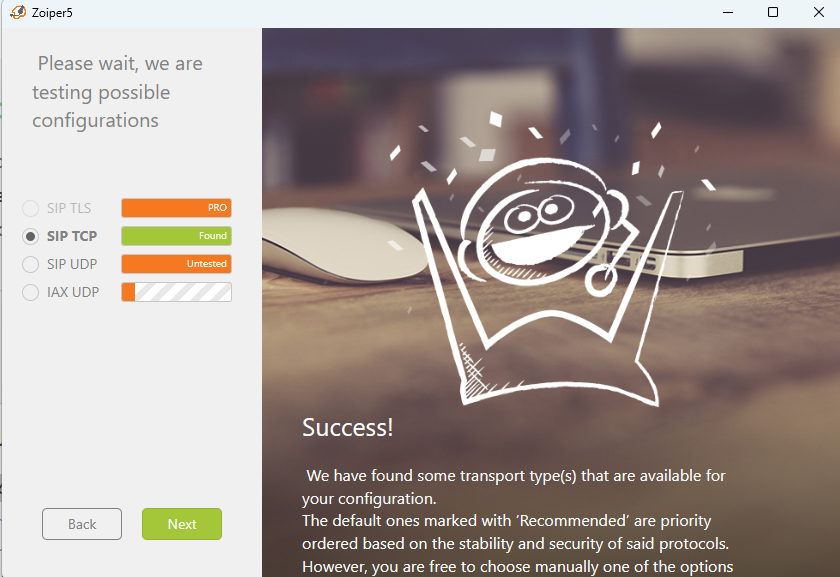
Congratulations, your telephony channel has been successfully created.
