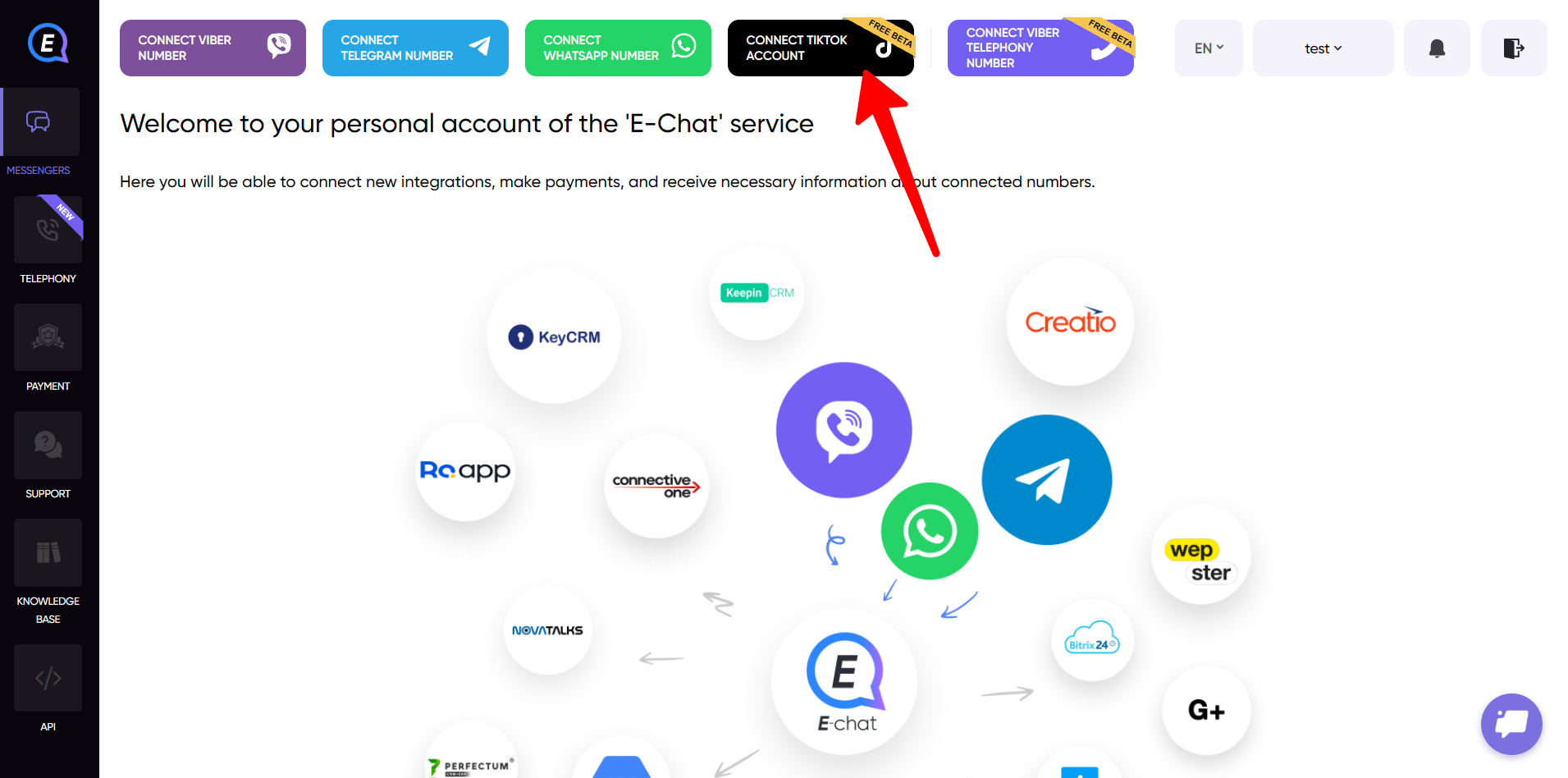
1) Log in to your dashboard and click the button to add a TikTok account.
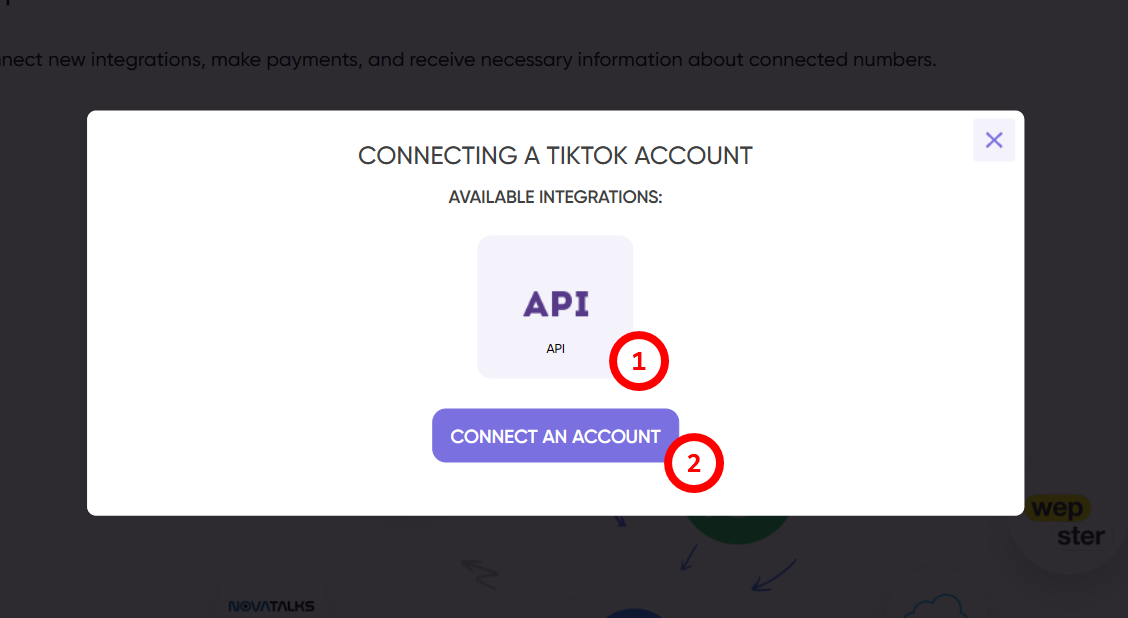
2) Select "API" as the connection type and click the button to connect your account.
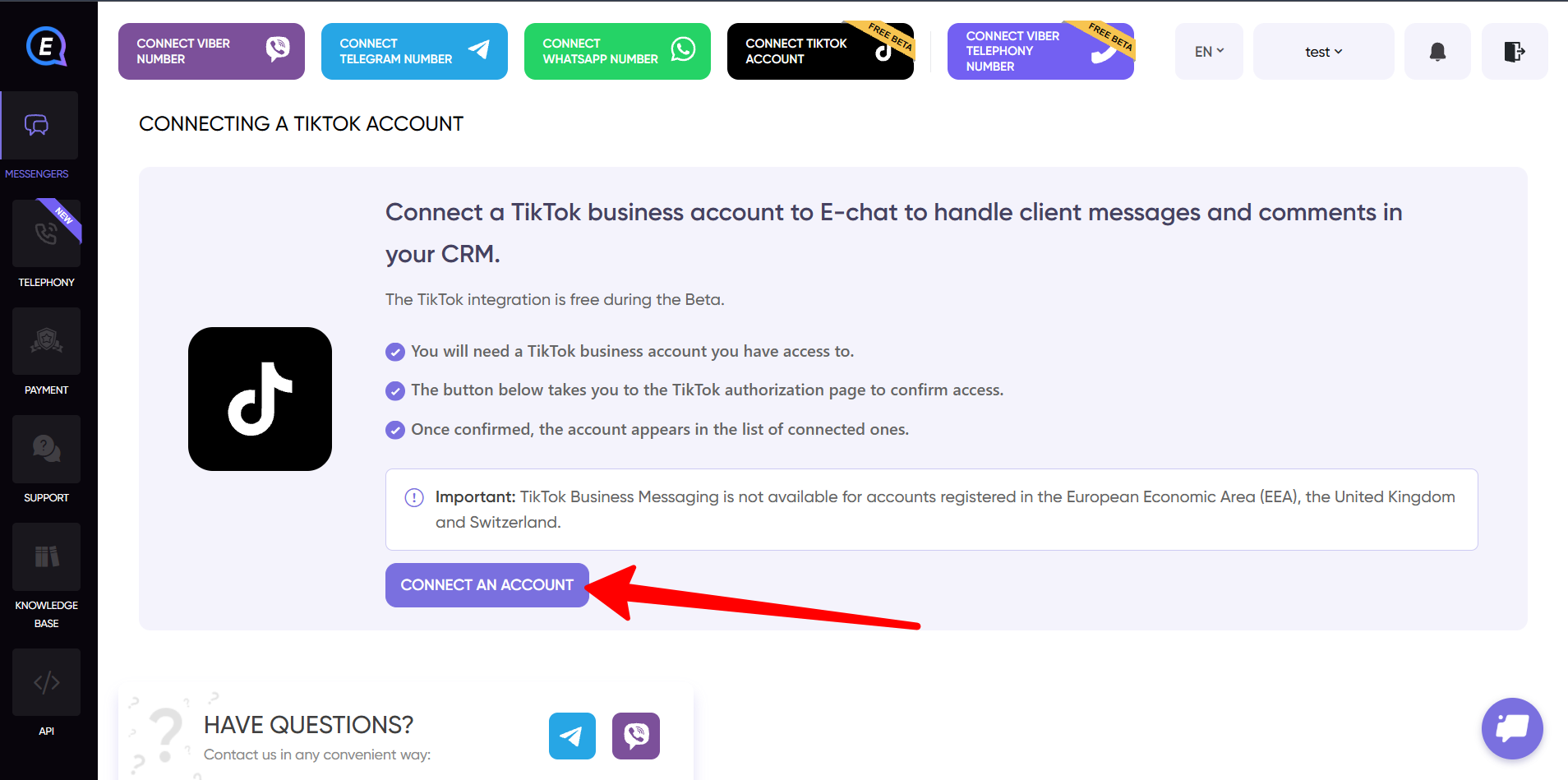
3) After you click the button, an account access authorization window will open.
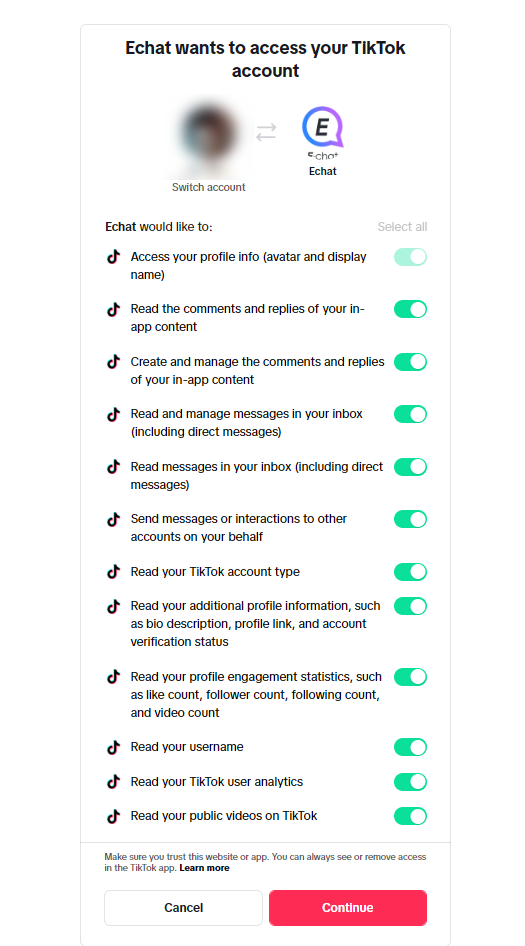
4) Grant all the required permissions and click "Continue".
Please note: only verified Business Accounts can be connected.
To learn how to verify your account, follow this link: Account verification.
